Liquidity Sweeps of Swing Highs and Lows, Tracked Through Detected, Confirmed and Faded States
 1 / 6
1 / 6
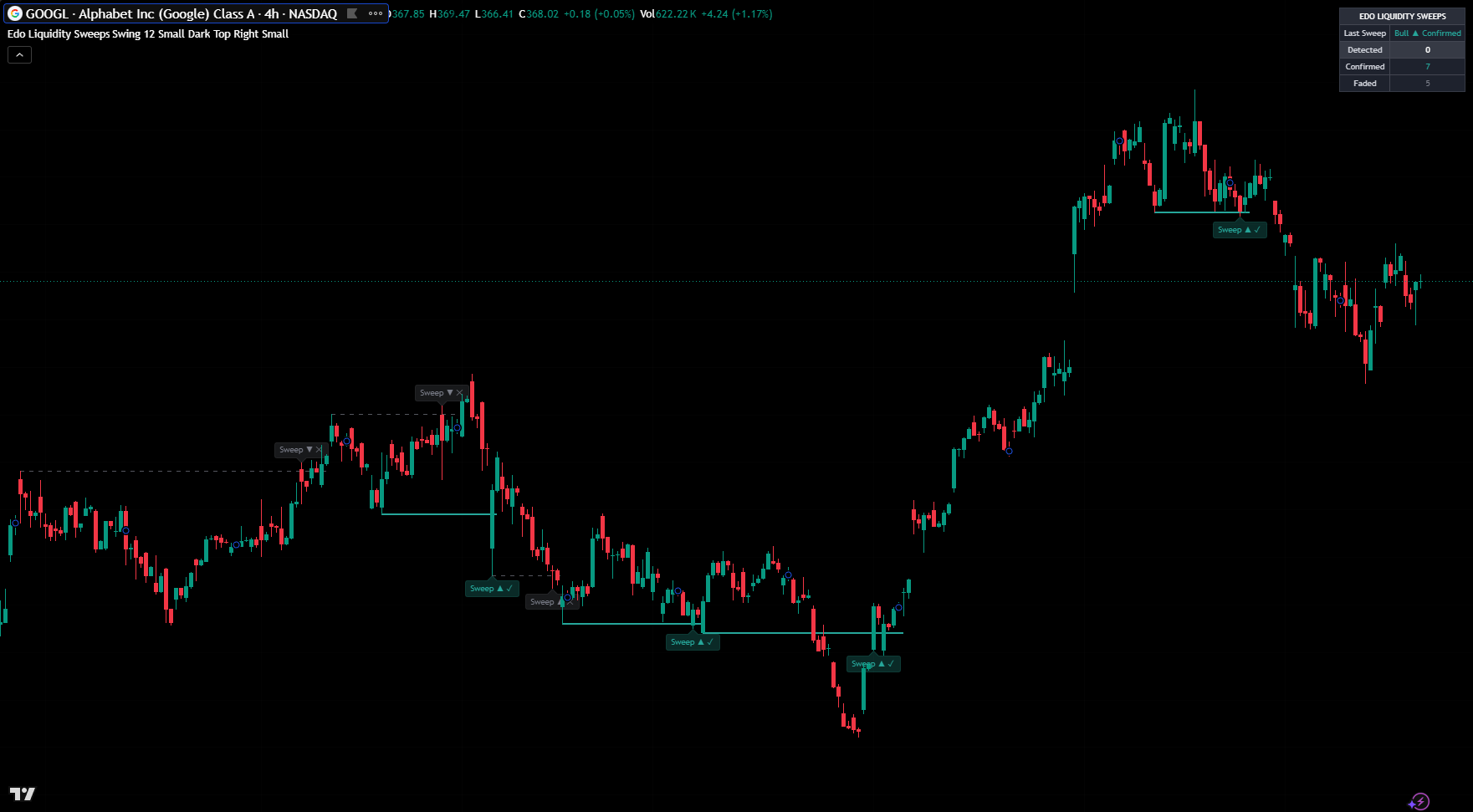
Edo Liquidity Sweeps isolates one of the most revealing events in price action: the moment price wicks beyond a swing high or low to take the resting liquidity, then closes back on the other side —the classic trap that often turns price around. It marks each sweep on the chart and follows it through three clear states —Detected, Confirmed and Faded— so you can separate the sweeps that actually reversed price from the ones that failed, all validated on closed bars so it never repaints. It is the sweep specialist of the Structure family and complements Edo Liquidity Zones, which maps the liquidity pools these sweeps take. Built under the Edolab Markets philosophy: structure before signals, clarity over noise, context before confirmation.
Configuration is grouped into functional blocks in the TradingView Inputs tab. Detection sets the Swing Profile (Scalper 5, Swing 10 or Long Term 21 bars each side, which fixes where liquidity is tracked) and Max Sweeps Kept (12, the maximum number of sweeps drawn on the chart). Style covers the bullish sweep color (teal), the bearish sweep color (red), the faded color (grey), Label Size (Tiny / Small / Normal) and Theme Mode (Dark / Light). The Panel block toggles Show Panel and sets Panel Position (Top Right by default, any of four corners) and Panel Size (Tiny / Small / Normal). Defaults are calibrated to work without adjustment on stocks, crypto, forex, indices and futures across any timeframe, with the Swing Profile the main lever to match the sensitivity of the tracked liquidity to your horizon. Full configuration details are available in the official manual.
Trading involves risk. This indicator is an analysis tool and does not constitute financial advice, investment recommendations, or trading signals. The user is solely responsible for their trading decisions.
